Knowledge is Power
Configure call forwarding on unassigned number ranges in Skype for Business
One of the great (for some people unknown) features introduced in Lync Server 2010 is the ability to assign a block of numbers to Lync and have Lync handle a call made to an unassigned number a specific way rather than just have a (fast) busy signal or the 404 error in SIP. This great feature is still availlable in Lync Server 2013 and Skype for Business Server 2015.
Let’s build a text-to-speech message and forward the call to the reception for example:
…SIP Error 485 Ambiguous
A customer was facing the problem that it was not possible to reach a certain contact person on his E164 number.
The first thing to check was in this case the Audiocodes Syslog Viewer. What is happening with the call? Does the call reach the Mediant or Skype for Business Server?
So i called the number from my own Skype for business Client. I received the following error.

Let’s check the Syslog Viewer:
…Network Performance requirements
Network Performance requirements from a Skype for Business client to Microsoft network Edge
For optimal Skype for Business media quality, the following network performance metrics targets or thresholds are required for a connection from your company’s network to the Microsoft network Edge. This segment of the network includes your internal network, this includes all WiFi and Ethernet connections, any company site-to-site traffic over a WAN connection, for example Multiprotocol Label Switching (MPLS), as well as the Internet or ExpressRoute partner connections to the Microsoft network Edge.
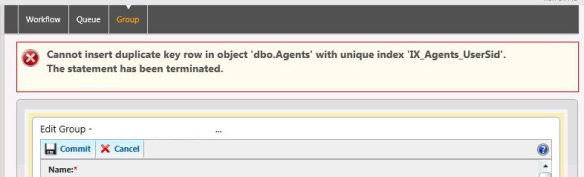
…Cannot insert duplicate key row in object ‘dboAgents’ with unique index ‘IX_Agents_UserSid’
If you need to quickly move a user from one Response Group to another, you may well encounter the following error message….
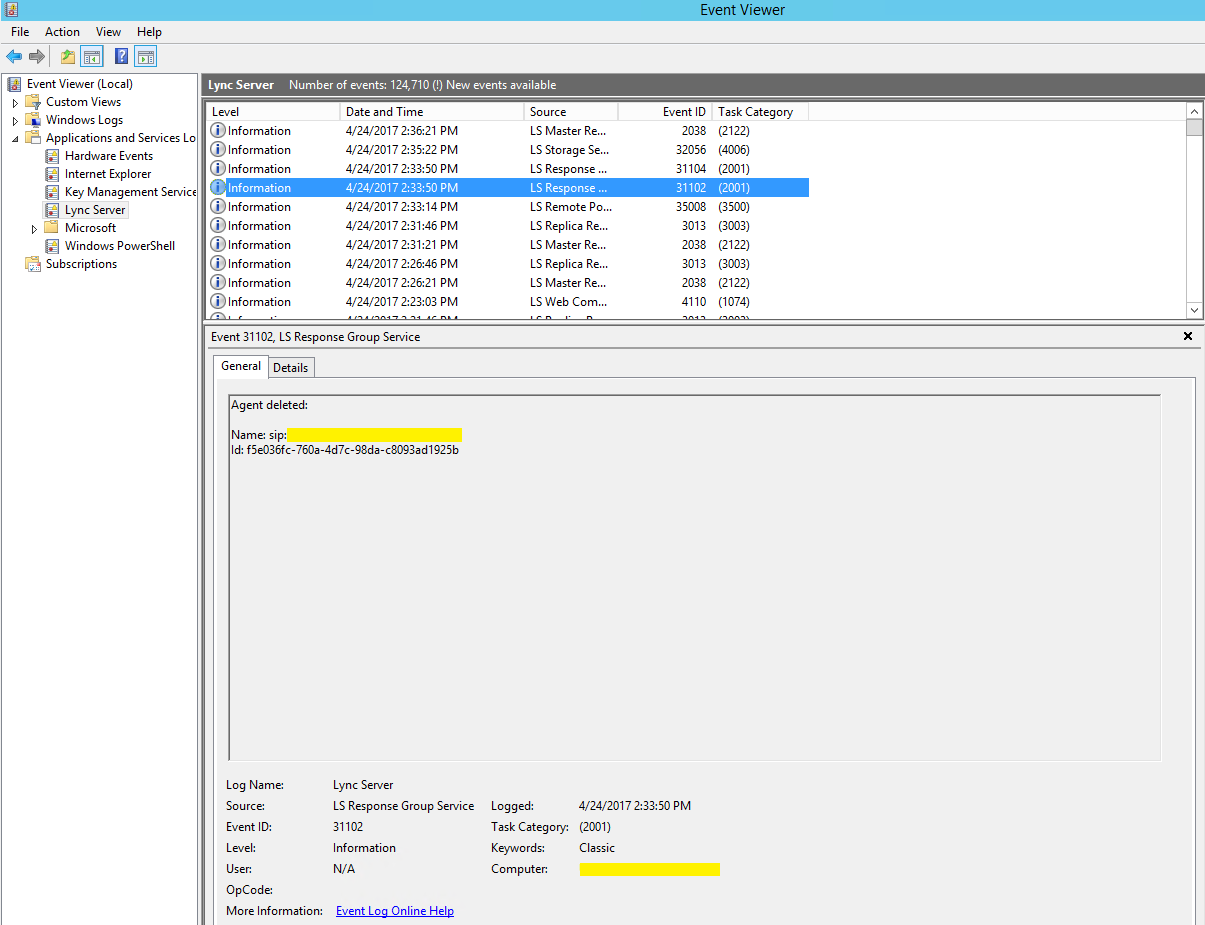
Wait for the following message in the event viewer. (It takes some time to update) Then add the user to the new Reponse Group
How to preload attachments for Skype for Business Online meetings
There’s a new feature in Skype for Business Online, you can now preload documents for Skype Meetings.
/
Let’s Go
- Create a new Skype meeting in Outlook
- Go to the insert tab, click Attach File (or outlook item) and select the attachment you want to add in the meeting.
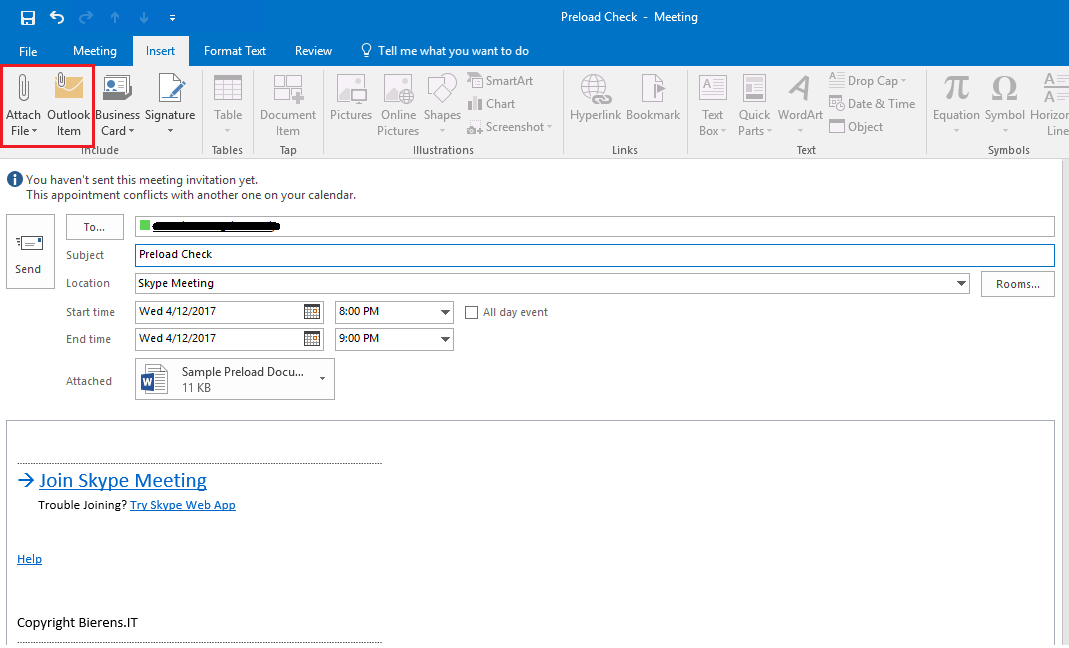
- Now just send the meeting!
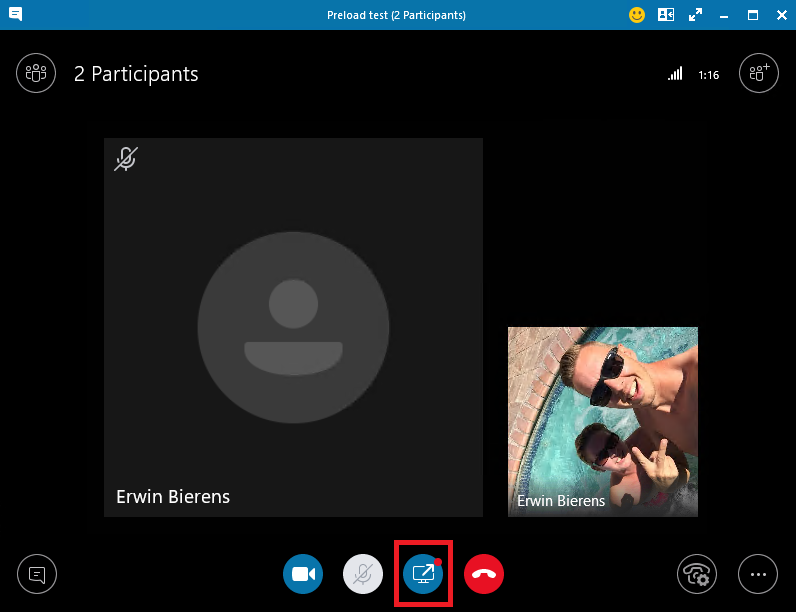
When you join the meeting a information bar will display saying: meeting content is addedd
How can I fix error code 0x80310000 for windows 10 mobile update?
Lumia 830
I am using an Microsoft Lumia 830 for work. Every time I try to get the “Microsoft Update for Windows Phone-Windows 10 Mobile 10.0.14393.1066, the phone downloads the update, but cannot install it.
I received error code 0x80310000.
How to fix this error (0x80310000):
Turn off your device encryption if you have it turned on. It helped for me, make sure you reboot your device after deactivating device encryption.
…QoS troubleshooting with Wireshark
QoS
During my work i have a lot of VoIP traffic related queries/questions. I’m using this configuration to check if packets are being tagged with the right DSCP values.
/
Add DSCP column to your Wireshark Client
- Right click on one of the existing columns.
- Click on column preferences
- Click Add down the bottom
- Click on the “New Column” Label and change it to “DSCP” then hit enter once.
- With the new entry highlighted, change the Field Type to Custom (in the dropdown box)
- In field name, copy and paste in _ip.dsfield.dscp
- Click Apply/Ok
You can drag the column back to the left side of the Info column and you now have a simple view of the tag for any packet.
…RDCMan to Hyper-V console
Remote Desktop Connection Manager is a essential tool if you run a lot of virtual machines or need to connect to a lot of customers as i do. One of the new features in version 2.7 allows the ability to connect directly to virtual machines (called virtual machine connect-to-console support). Configuring a connection for this new feature is rather easy once you have the ID of the virtual machine.
The following PowerShell command should do the trick:
…Polycom Trio 8800 failed to discover exchange server (Office365)
Problem
Deployed some Polycom Trio’s in my organisation (we’re running Exchange Online and Skype for Business Online) and everytime i went to the Calendar the Polycom was showing an error “Failed to discover exchange server”.
How to solve this error
Login to the webinterface from the Polycom Trio 8800 (first time enable HTTP/HTTPS connection from the Polycom Advanced Option, Default password is “456”)
Go to Settings > Applications
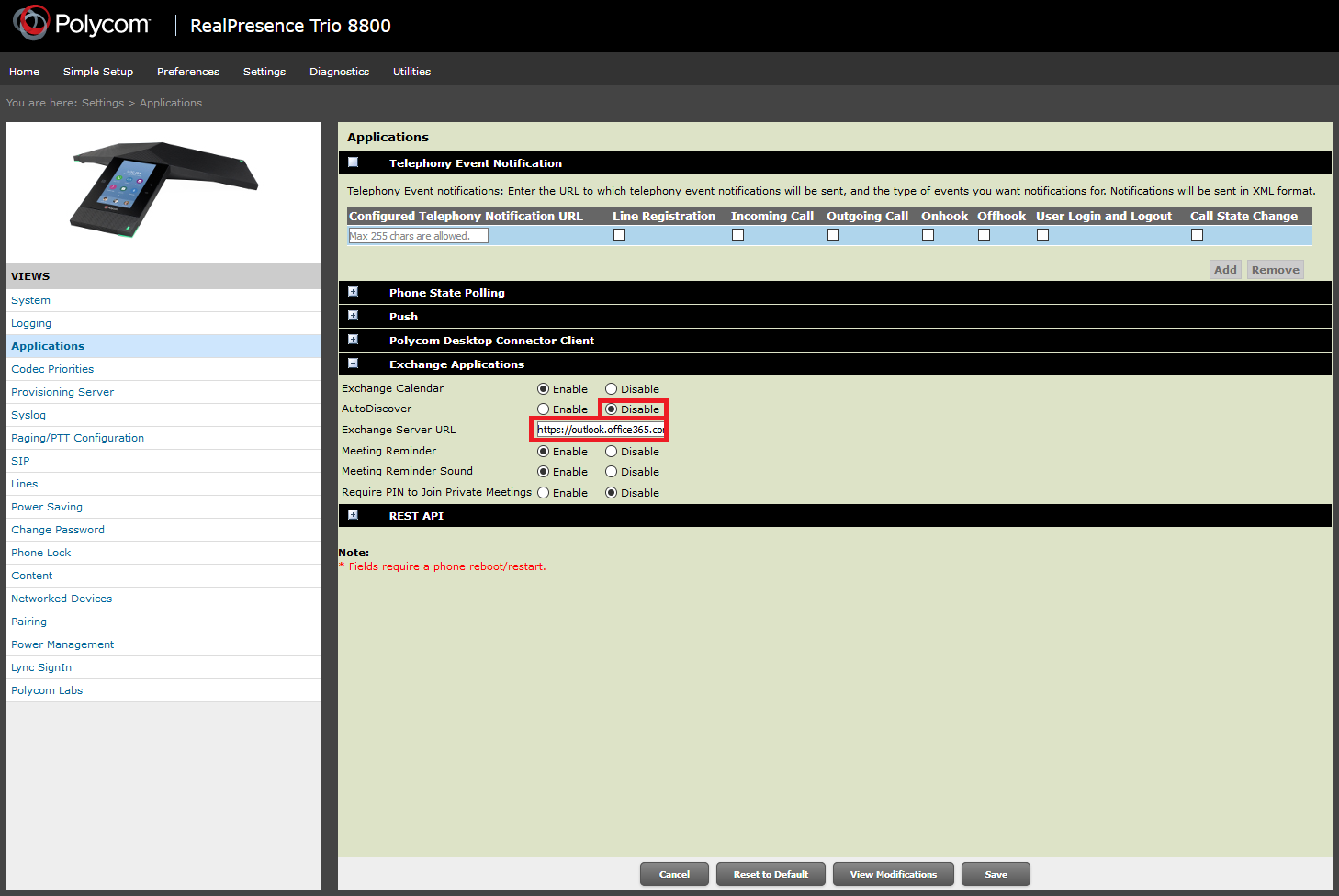
Disable the AutoDiscover and Fill in the following Exchange Server url:
…No presence information in Outlook (Skype for Business)
The issue
Got an issue after installing the Mitel MiCollab software. Microsoft Outlook did not display the status of Lync/Skype anymore. Also in my Outlook client the information from GAL (Global Address List) was not visable anymore when hovering over a name.
Some other issues i found out:
- The Microsoft SharePoint client/web does not display presence information.
- Other Microsoft Office applications that support presence features do not display presence information
The Solution
This behavior may occur if the value of the DefaultIMApp registry entry in the following registry key is incorrect: First, look at this location in the registry… [HKEY_CURRENT_USER\Software\IM Providers]
…